Unwrite Make
Describe a part or photograph the broken one, and Make builds it in 3D with a drawing of its sizes and the files for your CAD program or 3D printer.
It’s free to try, and you sign in with a code we email you.
How Make works
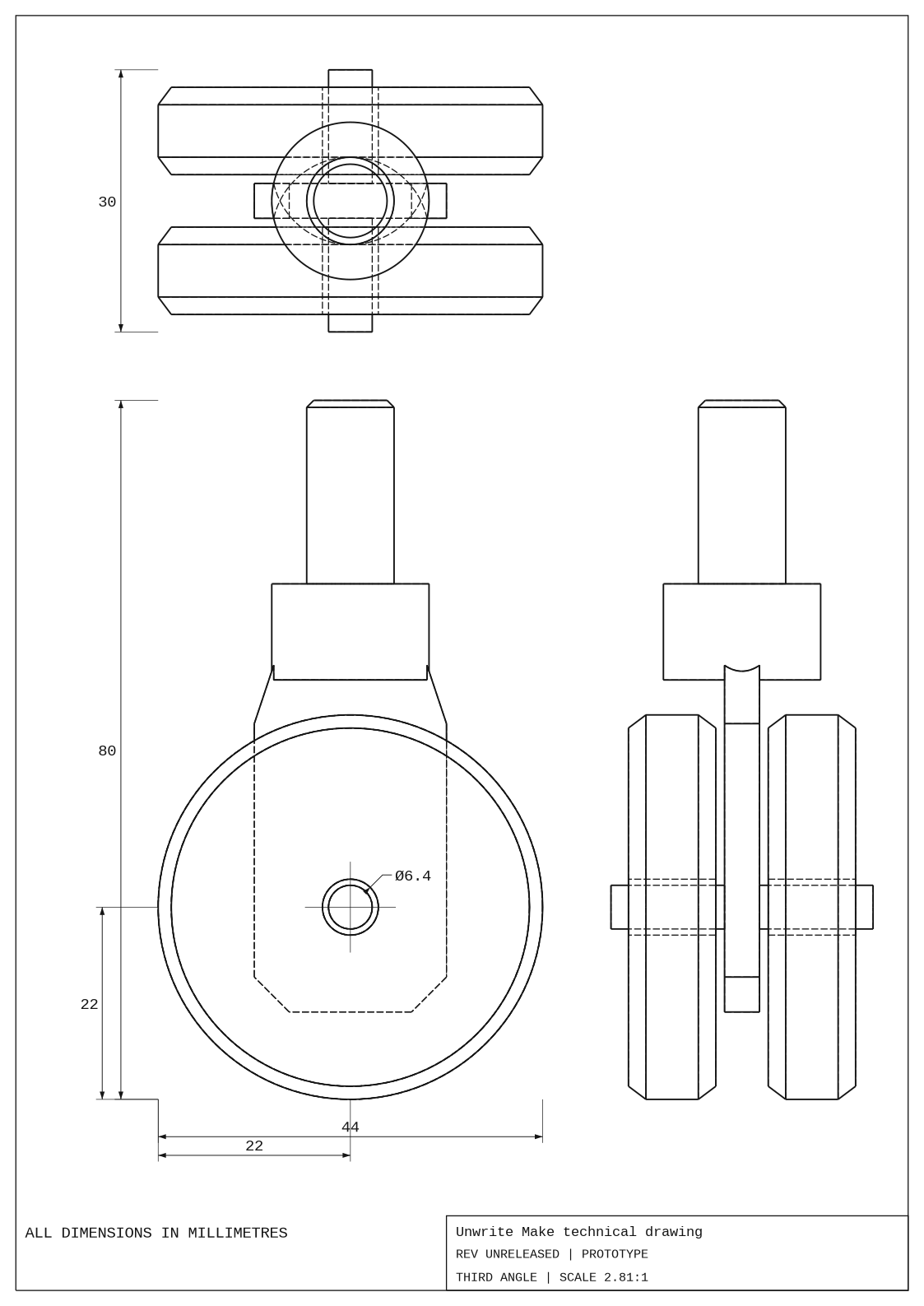
One real job, from the photograph to the files: an office chair caster.
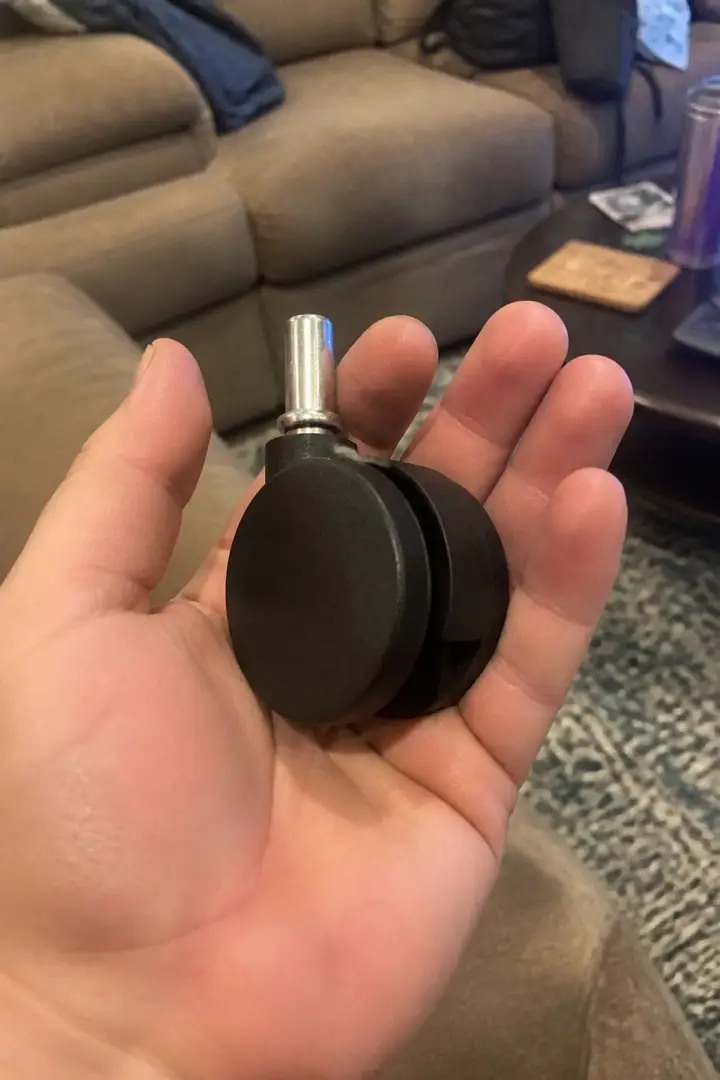
You, with the photograph
this wheel thing fell off the office chair, thats it in my hand. can you copy it? no ruler sorry
Measured44 × 30 × 80 mm
Where people use Make
Around the house
Feet, pegs, clips and caps for the things that broke.
In the workshop
Jigs, spacers and spares for machines nobody makes parts for now.
Beside the CAD you already run
Quick parts you take straight into your usual program as a STEP.
Working an idea out
Describe a shape, look at it, and change it until it's right.
Things people needed, and what came back
Real jobs, with the photograph and the words exactly as they were sent.
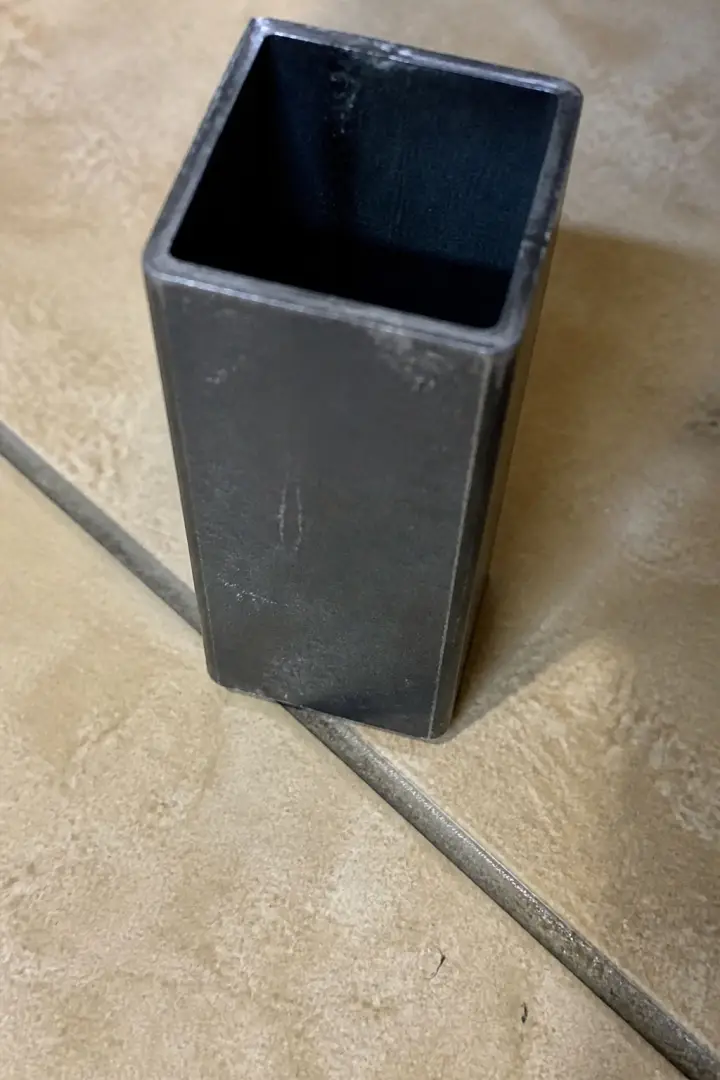
What they sent
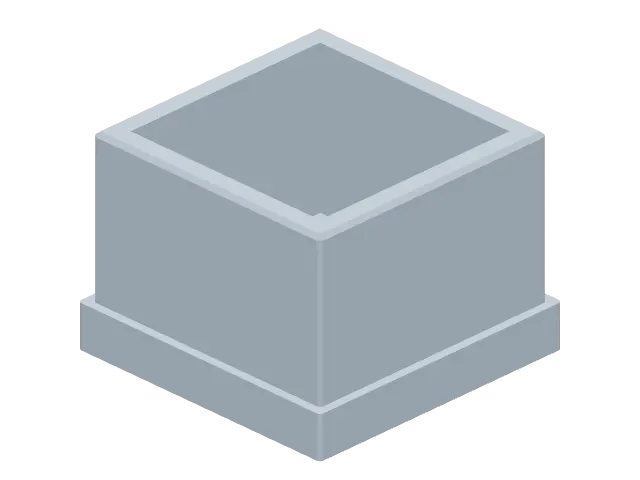
What came back
From a photograph
Chair leg foot
“this but a foot for it”
A push-in foot for the open end of a square chair leg.
What they sent
What came back
From a photograph
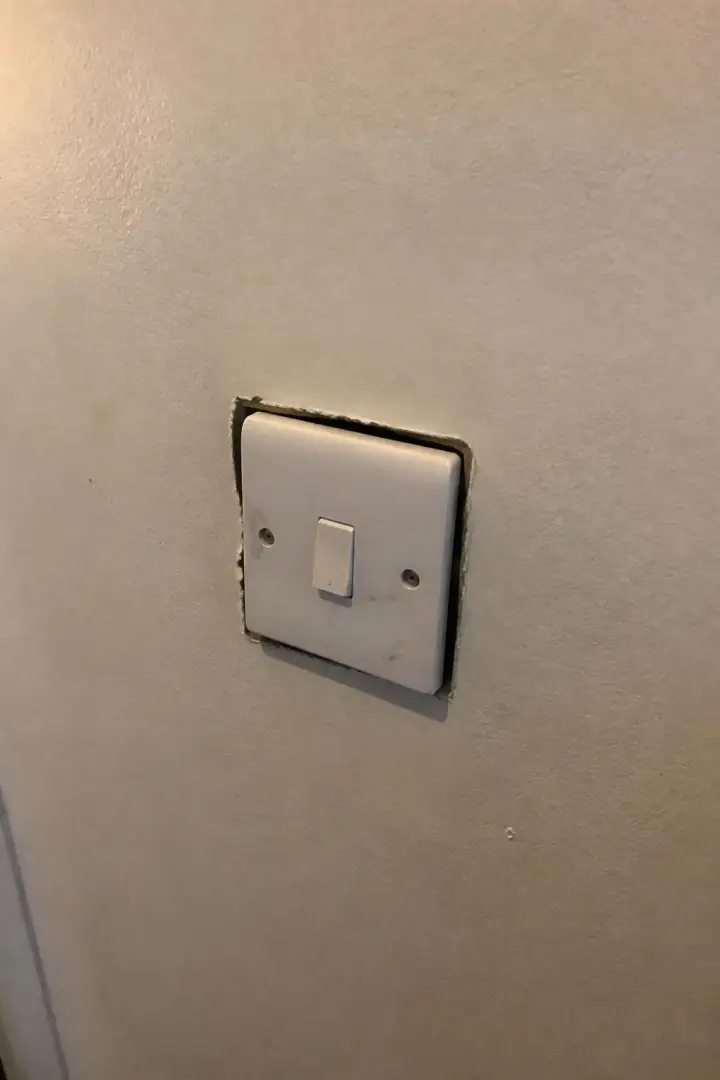
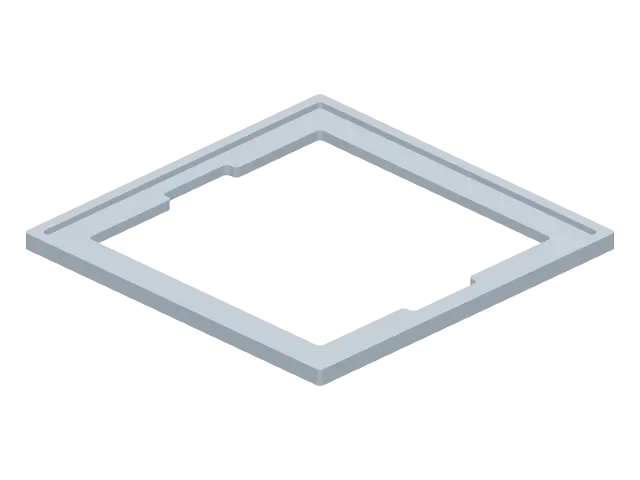
Light switch spacer
“light switch sits proud of the plaster, theres a gap around it. i dont need a new plate, i need a little frame/spacer that goes behind so it looks finished”
A thin surround that sits behind a light switch and covers the gap in the plaster.
What they sent
What came back
From a photograph
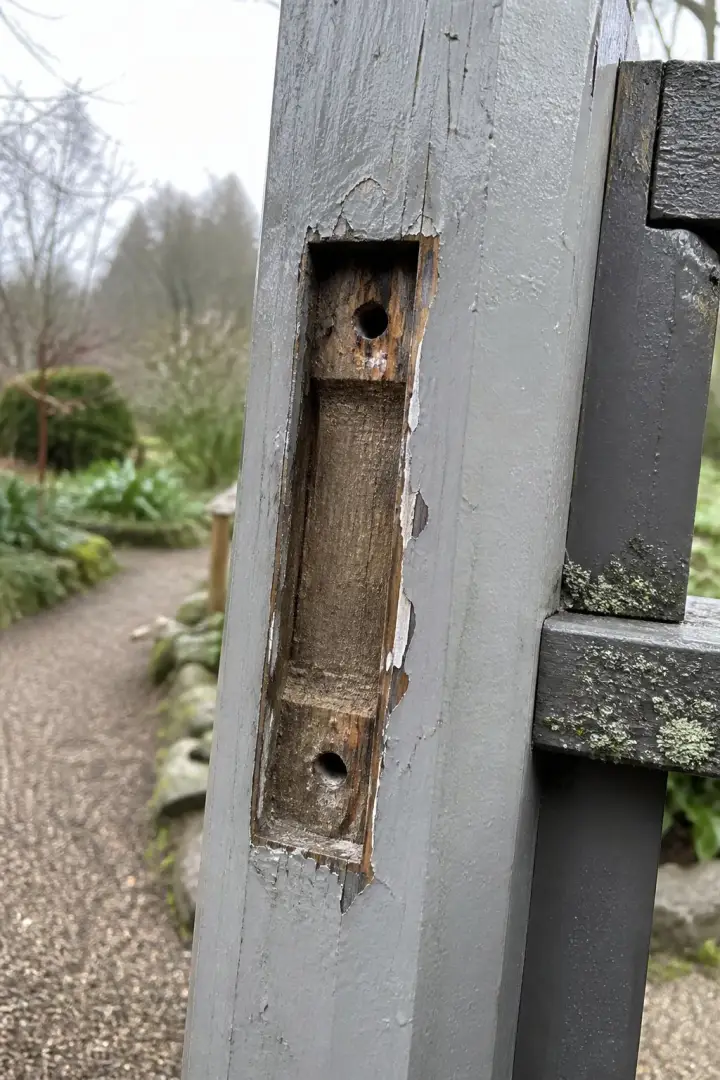
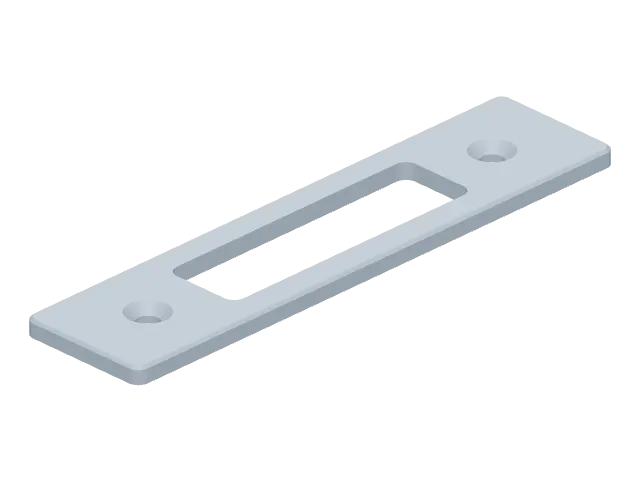
Gate latch plate
“latch plate is gone, thats the recess in the post. make me a new plate that sits in there. painted wood, outdoor”
A keep plate for the mortise left in a gate post when the old one went.
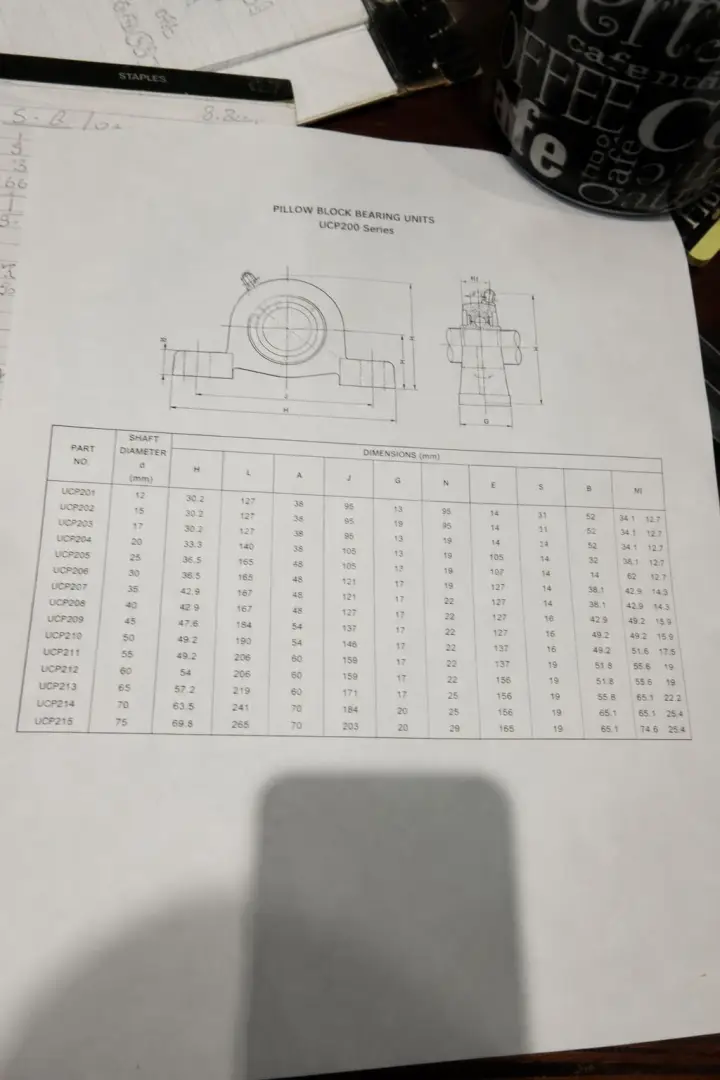
What they sent
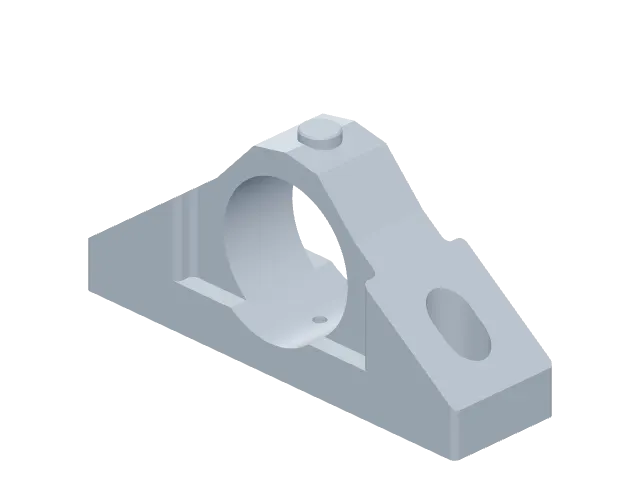
What came back
From a page out of a datasheet
UCP204 pillow block
“make the pillow block from this page, i photographed the printout because i cant find the file. no part to copy just the numbers”
A pillow block housing built from a photograph of a printed datasheet.
9 more are in the gallery. Rotate them and download the files, with no account needed.
Every edge is there on purpose
Make builds each part shape by shape, the way you would by hand, so every hole, radius and thread has a real size and the STEP opens in your CAD program with each shape still editable. If it's for 3D printing, Make checks it will print before you get it.
New in Make
- 25 Nov
- Add a box, cylinder, cone, ball or lettering by hand, sized by the numbers you type.
- 21 Nov
- A part in separate pieces opens in your CAD program with each piece on its own.
- 10 Nov
- Your browser can tell you the part is ready while you work in another window.
Pricing
Make Free
US$0
- A small monthly usage allowance, enough to try Make. Complex designs use more, so how many you'll finish varies.
- Projects kept for 90 days
- Personal use
Make Pro
US$99 a month
- Monthly generation capacity. Complex designs use more, so the number you can finish varies.
- Projects kept for one year
- Commercial use allowed
Make Max
US$199 a month
- 3× the monthly usage of Make Pro
- The same features as Pro, with more room to keep designing.
- Projects kept for one year
- Commercial use allowed
Your designs stay yours
Nothing you send is used to train a model, and you can download or delete your projects whenever you like.
Ready to make a part?
Start with a sentence about the part you need, and your first design is free.